The best MRP software in 2026
Spreadsheets are a practical starting point for production planning at low volumes. Beyond a certain scale, that same spreadsheet becomes the bottleneck: BOMs to track across multiple jobs, purchase orders to place before materials run out, and production schedules that go stale before the week is out. MRP software replaces that manual chain. This guide covers seven tools built for small and mid-size manufacturers, with verified pricing, G2 ratings, and limitations for each.
What is MRP software?
Materials Requirements Planning (MRP) software calculates what materials a manufacturing business needs to fulfill its production schedule. It works backwards from each finished product order through the bill of materials, checks current stock levels against what is required, and determines what must be ordered and when. The output is a purchase plan and a production schedule built on actual material availability.
The right MRP system also handles production order management, work order tracking, and purchase order generation. For manufacturers and assemblers, it replaces manual stock-checking with a system that confirms material availability automatically, across every active order and location.
MRP software connects the whole operation through one automated chain: a confirmed sales order creates a production plan, the production plan generates purchase orders, and material availability updates as each step completes.
How we chose these tools
We evaluated tools on feature depth for discrete manufacturing, BOM and production order support, integration coverage with accounting and ecommerce platforms, G2 review scores, pricing transparency, and fit across make-to-stock, make-to-order, and mixed-mode operations.
The best MRP software: quick comparison
| Tool | Best for | BOM/Production orders | Multi-channel | Free plan | G2 rating |
|---|---|---|---|---|---|
| Katana | Manufacturers selling across multiple channels | ✓ | ✓ | ✓ (30 SKUs) | 4.4/5 |
| Fishbowl | QuickBooks-dependent manufacturers | ✓ | ✓ | ✗ | 4.0/5 |
| Cin7 | High-volume product brands needing MRP and omnichannel | ✓ (Pro+) | ✓ | ✗ | 4.2/5 |
| Odoo | Businesses wanting a modular, open-source option | ✓ | ✓ | ✓ (one app) | 4.2/5 |
| NetSuite | Enterprise manufacturers with complex operations | ✓ | ✓ | ✗ | 4.1/5 |
| JobBOSS2 | Job shops and make-to-order manufacturers | ✓ | ✗ | ✗ | 3.8/5† |
| inFlow | Small product businesses wanting simple MRP | Add-on | ✓ | ✗ | 4.4/5† |
† Rating based on a small number of reviews.
Reviews: the 7 best MRP software tools
1. Katana — best for manufacturers and assemblers selling across multiple channels
G2: 4.4/5 | Free plan available; Core from $299/month
Manufacturers and assemblers face a consistent planning problem: confirming material availability before committing to a production schedule. Without a dedicated system, that check is manual and prone to the kind of error that stops a production run halfway through.
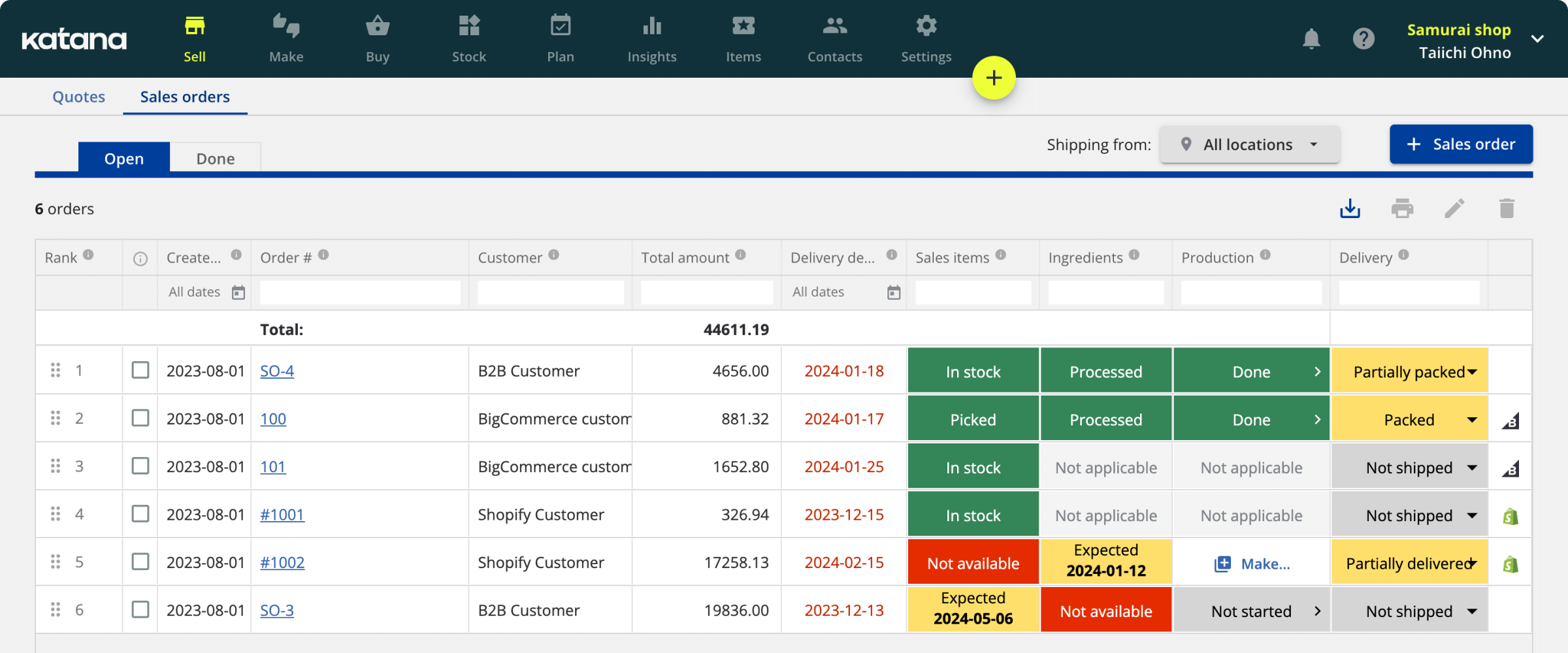
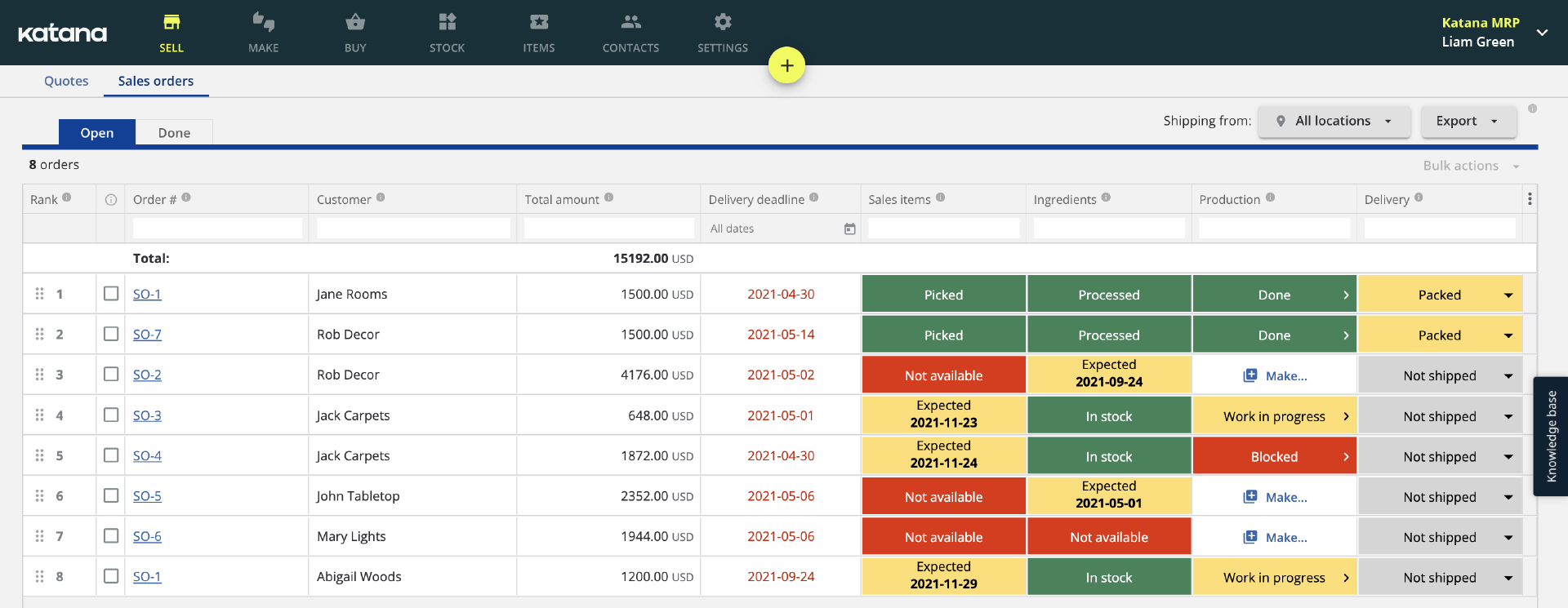
Katana connects purchasing, production, and sales in one live manufacturing record. A sales order triggers a production order. The production order checks material availability against the BOM, flags shortfalls, and creates purchase orders automatically. Materials arrive, production runs, and finished goods inventory updates across every sales channel without manual input between steps. BOM management covers multi-level assemblies and subassemblies, and committed materials are always separated from available stock so the available-to-manufacture figure is accurate in real time.
For manufacturers also selling across Shopify, Amazon, wholesale portals, or 3PL fulfillment, that same live record feeds every channel simultaneously. Katana customers see a 12% decrease in inventory levels. That reflects the shift from ordering against uncertain estimates to ordering from live material calculations. Ordering from live material data cuts excess stock and produces a schedule grounded in actual material availability.
Further capabilities include purchase order management with supplier lead times, barcode scanning for receiving and shop floor operations, batch and serial number tracking, multi-location inventory, and integrations with QuickBooks Online, Xero, Shopify, Amazon, and major 3PLs. The free plan covers up to 30 SKUs with all core production planning features included. Implementation typically takes six weeks with a dedicated onboarding manager.
Key strengths
- Live BOM-driven production orders with automatic material availability checks
- Automatic purchase order generation from material requirements
- Committed materials separated from available stock across all locations
- Multi-channel sync across Shopify, Amazon, wholesale, and 3PLs
- Flat-rate pricing with no per-order fees
- Free plan for up to 30 SKUs with full production planning included
Pricing: Free plan (up to 30 SKUs, unlimited users, unlimited locations); Core from $299/month. Manufacturing management, traceability, and warehouse management available as add-ons.
One limitation: Advanced manufacturing routings, shop floor management, and manufacturing cost insights require add-ons on top of the Core plan. Businesses with complex multi-step production should confirm add-on costs before comparing total price against other tools.
2. Fishbowl — best for QuickBooks-dependent manufacturers
G2: 4.0/5 | From $229/month (billed annually)
Fishbowl is an inventory and manufacturing platform built around deep QuickBooks integration, supporting both QuickBooks Online and Desktop through bidirectional sync. Inventory transactions, work order costs, and purchase activity update accounting records automatically. For manufacturers that have built their financial operations around QuickBooks, Fishbowl provides MRP and production management without requiring them to replace their accounting platform.
The manufacturing module covers multi-level BOMs, work orders, MRP scheduling, and production order tracking. Material requirements planning calculates what to order and when, based on BOMs, open sales orders, and current stock. The warehouse module handles multi-location inventory, lot and serial number tracking, expiry date management, and barcode scanning.
Key strengths
- Deepest QuickBooks integration available, supporting both Online and Desktop
- Full manufacturing module: multi-level BOMs, work orders, and MRP
- Multi-location inventory with lot, serial, and expiry date tracking
- Barcode scanning on all plans
- Supports both make-to-stock and make-to-order operations
Pricing: Essentials $229/month (2 users, billed annually); Growth $429/month (5 users); Scale $729/month (10 users); Advanced: custom. A mandatory implementation package is required at purchase.
One limitation: Implementation is non-optional and adds upfront cost. Advanced ecommerce integrations and AI manufacturing features are add-ons beyond the base subscription. Businesses with ecommerce-heavy operations should verify integration coverage before committing.
3. Cin7 — best for high-volume product brands needing MRP and omnichannel
G2: 4.2/5 (332 reviews) | From $349/month
Cin7 is a connected inventory and order management platform built for high-volume product businesses selling across multiple channels. It includes MRP functionality from the Pro tier, covering material requirements planning, production order management, and BOM support. For product brands distributing through retail, wholesale, and ecommerce simultaneously and needing production management alongside channel operations, Cin7 brings both into one platform.
The Standard plan covers multi-channel inventory, purchasing, and order management with 700+ integrations. MRP and production order management are available from the Pro tier. Advanced warehouse management is available on the Advanced tier.
Key strengths
- Advanced WMS on the Advanced tier
- 700+ integrations covering major ecommerce, marketplace, and accounting platforms
- MRP and production order management available from the Pro tier
- EDI capability for retail and wholesale compliance
- High order volume capacity: 6,000 orders/year on Standard, 24,000 on Pro
Pricing: Standard $349/month (5 users, 6,000 orders/year); Pro $599/month (10 users, 24,000 orders/year, MRP); Advanced $999/month (15 users, advanced WMS); Omni: custom. 14-day free trial available.
One limitation: MRP is not available on the Standard plan. Businesses evaluating Cin7 specifically for production planning need the Pro tier at $599/month as a minimum. Onboarding is complex and support quality is flagged repeatedly in G2 reviews.
4. Odoo — best for businesses that want a modular, open-source option
G2: 4.2/5 | Free (Community) or from $31.10/user/month (Enterprise)
Odoo is an open-source business platform with a Manufacturing module covering multi-level BOMs, MRP scheduling, production order management, shop floor control, and work order tracking. It is available as a free Community edition (open-source, self-hosted) or as an Enterprise subscription. The modular structure means manufacturing businesses can add only the apps they need (inventory, purchasing, accounting, ecommerce) without paying for an all-in-one system they use at partial capacity.
The Enterprise Manufacturing module includes MRP with demand forecasting, multi-level BOMs, and a visual production scheduling interface. The platform covers make-to-order, make-to-stock, and mixed-mode operations. Because Odoo also covers accounting, CRM, and ecommerce natively, it functions as a lightweight ERP for businesses that outgrow standalone MRP.
Key strengths
- Free Community edition available (open-source, self-hosted)
- Multi-level BOM management and MRP scheduling
- Covers make-to-order, make-to-stock, and mixed-mode operations
- Modular: add only the apps the business needs
- Full ERP capabilities available within the same platform
Pricing: Community: free, open-source, self-hosted. Enterprise: One App Free ($0, one app, unlimited users); Standard $31.10/user/month (all apps, annual billing); Custom $61.00/user/month (adds Studio, multi-company, API).
One limitation: Odoo requires technical resources to implement and configure effectively, particularly for custom workflows. Per-user Enterprise pricing scales quickly: a 10-person team on Standard runs $311/month before any implementation cost. The Community edition has no licensing cost but no official Odoo support either.
5. NetSuite — best for enterprise manufacturers with complex operations
G2: 4.1/5 | Custom pricing
NetSuite is Oracle’s cloud ERP platform, used by over 40,000 organizations globally. The NetSuite Manufacturing module covers multi-level BOMs, production work orders, MRP, demand planning, advanced warehouse management, and shop floor control. It operates as one module within a broader platform that also covers financials, CRM, and order management. This makes it relevant to manufacturers that need to run their entire business on one system.
The platform handles multi-subsidiary, multi-currency, and multi-location operations at a scale standalone MRP tools cannot match. Demand planning, capacity requirements planning, and production scheduling are available as part of the manufacturing module.
Key strengths
- Full manufacturing module: multi-level BOMs, MRP, work orders, and demand planning
- Advanced WMS and shop floor control
- Single platform for manufacturing, finance, CRM, and ecommerce
- Multi-entity, multi-currency, multi-location support
- Large ecosystem of certified implementation partners globally
Pricing: Custom, quote-based. Base platform typically starts around $999/month plus $99–199 per user per month (analyst estimates; Oracle does not publish pricing). Annual contracts only. Implementation typically costs $25,000–$100,000+. Total first-year cost for most deployments exceeds $50,000.
One limitation: NetSuite is not a fit for most SMB manufacturers. Implementation requires months, dedicated IT resources, and typically a certified partner. Evaluate it only after outgrowing mid-market MRP tools.
6. JobBOSS2 — best for job shops and make-to-order manufacturers
G2: 3.8/5 (56 reviews)† | Custom pricing
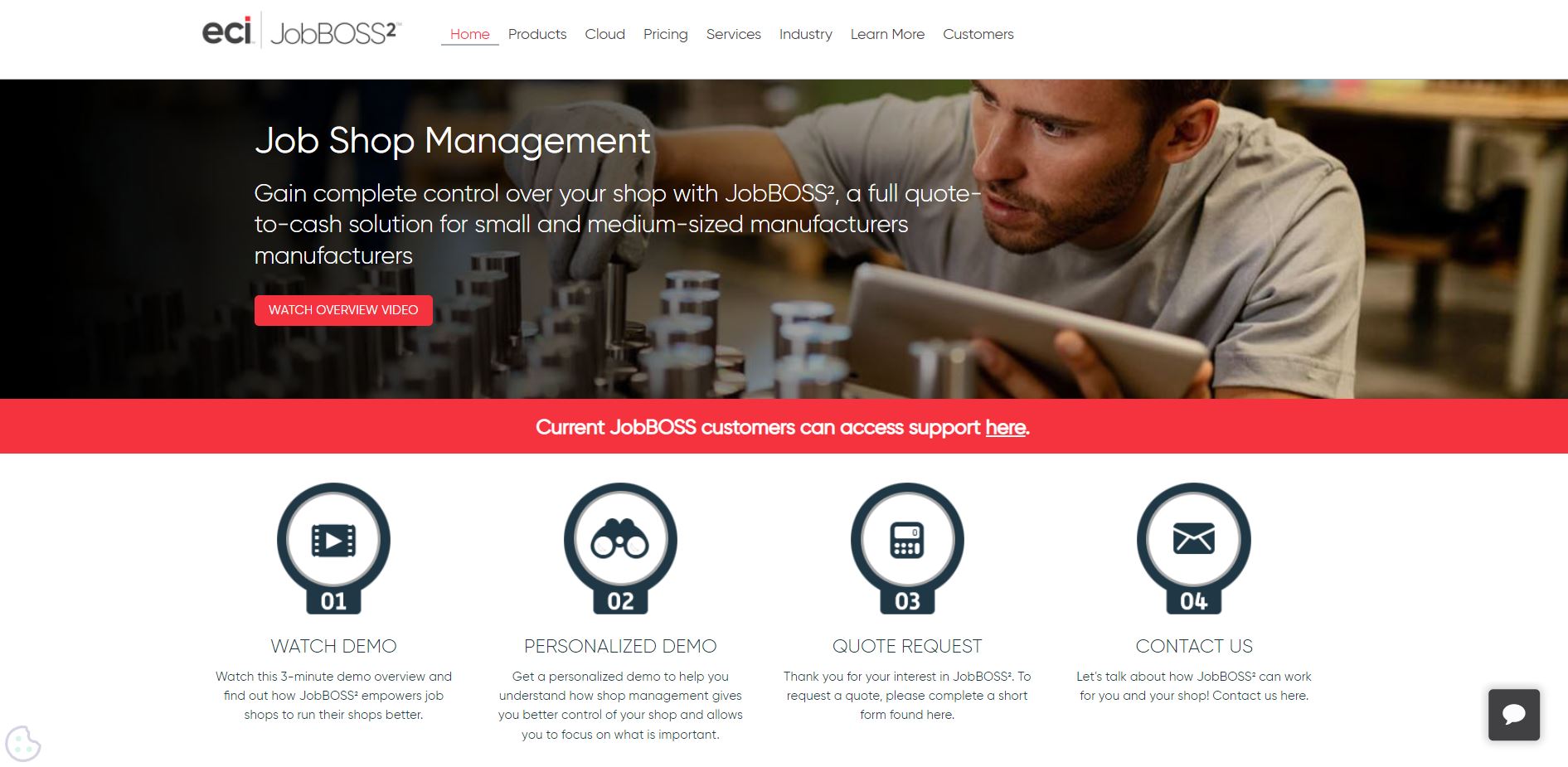
JobBOSS2, by ECI Software Solutions, is a job shop management platform designed specifically for custom manufacturers and machine shops. It supports the full workflow from quote to invoice: quoting and estimating, job order management, production scheduling, purchasing, inventory, and quality management. For job shops whose operations are driven by custom orders rather than standard production runs, JobBOSS2 provides dedicated tools that general inventory management platforms do not cover.
The platform includes an AI-powered BOM builder that generates draft bills of materials from uploaded drawings and specification files, a visual drag-and-drop scheduling interface, job costing tools that compare estimated vs. actual costs per job, and automated material forecasting with purchase order generation. Quality management tools handle equipment calibration, document control, and ISO/AS9100 compliance workflows.
Key strengths
- Purpose-built for job shop and make-to-order manufacturing workflows
- AI BOM builder from drawings and specification files
- Quote-to-invoice workflow with job costing and margin analysis
- Visual scheduling with drag-and-drop calendar
- ISO/AS9100 quality management tools
Pricing: Custom quote only. Three tiers: Silver (ERP and shop management), Gold (adds accounting, scheduling or quality), Platinum (both scheduling and quality). No published prices. Contact sales for a quote.
One limitation: Some reviewers flag the technology as showing its age relative to newer cloud-native platforms, and costing and reporting modules have received mixed feedback. Request a live demo and reference customers before committing.
7. inFlow — best for small product businesses wanting simple MRP
G2: 4.4/5 † | From $186/month
inFlow is an inventory and order management platform that offers basic manufacturing support through its separate inFlow Manufacturing product. It suits small product businesses that need kitting, assembly, and light production management without the overhead of a full MRP system. The core platform covers stock tracking, purchasing, and order management across Shopify, WooCommerce, Etsy, eBay, and B2B channels. The Manufacturing add-on brings BOM management, production orders, and assembly tracking.
The interface requires minimal training, which suits operations without a dedicated manufacturing systems manager. Flat-rate pricing that does not scale per user keeps costs predictable for small teams.
Key strengths
- Simple, low-training-requirement interface
- Kitting and assembly management via inFlow Manufacturing add-on
- Flat-rate pricing not tied to user count
- B2B Showroom for wholesale ordering built in
- Integrates with Shopify, WooCommerce, Etsy, eBay, QuickBooks Online, and Xero
Pricing: Entrepreneur $186/month (2 users, 100 orders/month, 1 integration); Small Business $436/month (5 users, 1,000 orders/month); Mid-Size $999/month (10 users). 14-day free trial available.
One limitation: Manufacturing is a separate product, not built into the core subscription. Multi-level BOMs and advanced production scheduling are not available. inFlow suits businesses with simple assembly operations; manufacturers with complex production workflows or multi-level BOMs need a purpose-built MRP tool.
Main features to look for in MRP software
BOM management and multi-level BOM support A bill of materials defines every component, subassembly, and raw material that goes into a finished product. Multi-level BOM support handles products that contain subassemblies: assemblies that are themselves built from other components. Single-level BOMs cover simple kit-and-ship operations. Businesses with any assembly complexity need multi-level support. Confirm this before evaluating anything else.
Real-time production scheduling Production scheduling should update as sales orders come in, materials are received, and work progresses on the shop floor. Look for a scheduling view that reflects current material availability and shows which production orders are ready to start, in progress, or waiting on components. A schedule that does not update in real time has the same problem as a spreadsheet.
Purchase order automation MRP software should generate purchase orders automatically when material requirements fall below reorder thresholds. Confirm whether the tool generates draft POs for approval or sends them automatically, and whether supplier lead times factor into the timing calculation. Manual PO placement is the exact problem dedicated MRP replaces.
Multi-location and multi-channel inventory sync Manufacturers with more than one production site need stock visibility across all locations simultaneously. Businesses also selling through ecommerce channels need the same live inventory feeding production planning and sales fulfillment from one record. Verify that materials committed to production orders are immediately reflected in available-to-sell counts on connected sales channels.
Shop floor control and work order tracking Shop floor control lets operators record progress against work orders directly from the production floor. They log which tasks are complete, what materials have been consumed, and what remains. Without it, production status is only known through manual check-ins. Look for a mobile-accessible operator view that updates the system in real time.
Accounting integrations The MRP system needs to push material costs, purchase transactions, and work order costs to your accounting tool without manual export. QuickBooks Online, QuickBooks Desktop, and Xero are covered by most tools on this list. Businesses on QuickBooks Desktop have fewer options. Confirm accounting compatibility before evaluating production features.
Barcode and scanning support Barcode scanning at receiving, production, and shipping reduces manual data entry and the risk of inventory discrepancies driven by production activity. Look for the ability to scan components into a work order as they are consumed and scan finished goods out as they are completed.
Reporting and demand forecasting At minimum, the system should generate reports on material consumption, production costs, and order fulfillment rates. Demand forecasting (projecting future material requirements from sales history) is available on higher tiers of most platforms. For businesses with seasonal demand or long supplier lead times, this is worth evaluating during selection.
Free quality control checklist for manufacturing
Download a production quality control checklist to improve communication and reduce delays while maintaining a high standard for your operations.

MRP vs. ERP: what’s the difference?
MRP covers one domain: production planning. It takes BOMs, open orders, and stock levels, and calculates what to make, what to buy, and when. The output is a purchase plan and a production schedule. That is the full scope.
ERP covers the whole business. A full ERP system integrates manufacturing with financials, HR, CRM, and customer management in one platform. Manufacturing is one module within a broader operational system.
Here are three reasons why this distinction is important:
Cost is the first. Standalone MRP tools for SMBs typically cost $200–$1,000/month and implement in weeks. Full ERP systems typically cost $50,000 or more in the first year and take months to deploy.
Scope is the second. Businesses that primarily need to get production planning under control (BOMs, production orders, purchase order generation, material availability) do not need an ERP. Adding HR, CRM, and financial consolidation to that requirement adds cost and complexity that most SMB manufacturers cannot absorb until they have genuinely outgrown a standalone tool.
Integration is the third. Most MRP tools integrate directly with accounting, ecommerce, and CRM platforms. A manufacturer using QuickBooks for accounting, Shopify for sales, and a dedicated MRP tool for production has a functional integrated stack without deploying a full ERP.
The decision point is clear: choose a dedicated MRP tool if production planning is the primary problem to solve. Consider an ERP when operational complexity across finance, HR, and manufacturing simultaneously makes a single connected platform genuinely necessary.
Want to learn more about MRP systems?
Check out this article on MRP systems for manufacturers: The ultimate guide to learn everything about the world of MRP and help you understand how to choose the best MRP software for your business.
How to choose MRP software for your business
The right MRP tool depends on your production model and operational complexity. Four questions narrow the field.
What production mode do you operate in? Make-to-stock manufacturers produce finished goods to inventory based on demand forecasts. Make-to-order manufacturers build to customer specifications after an order is placed. Mixed-mode operations run both. Most tools on this list handle make-to-stock and mixed-mode operations. JobBOSS2 is specifically designed for make-to-order job shops and custom manufacturers. Confirm your primary production mode before evaluating scheduling and BOM features.
Do your products contain subassemblies? Multi-level BOM support is required for any product that contains subassemblies: assemblies that are themselves built from other components. This is the most commonly underestimated requirement at evaluation time. Most tools on this list support multi-level BOMs; inFlow’s add-on does not. Confirm this before evaluating anything else.
Do you sell across multiple channels alongside production? Manufacturers selling through Shopify, Amazon, wholesale, and 3PLs simultaneously need the same live inventory record feeding production planning and sales fulfillment. Katana, Fishbowl, Cin7, Odoo, and NetSuite all support this. For manufacturers running multi-channel sales alongside any production, Katana is one of the few tools at the SMB price point that handles both from one live manufacturing record, with a free plan to start.
What accounting tool are you on? Most tools integrate with QuickBooks Online and Xero. Manufacturers on QuickBooks Desktop have fewer options. Fishbowl is the strongest integration in that case. Businesses needing accounting and manufacturing in the same platform should evaluate Odoo or NetSuite, bearing in mind the implementation complexity and cost both require.
Manufacturers managing more than 50 active SKUs, running concurrent production orders, and spending meaningful time each week on manual material availability checks have outgrown spreadsheets. That combination of production complexity and multi-channel selling is exactly the use case Katana is built for.
MRP software FAQs
SAP is the most widely deployed MRP and ERP system globally, primarily in large enterprise manufacturing. For SMB manufacturers, the most commonly adopted tools are Katana, Fishbowl, Odoo, and Cin7, each rated 4.0–4.4 on G2. No single tool dominates across all manufacturing sizes and production types. The right choice depends on production model, team size, and the accounting and ecommerce systems already in use.
MRP functionality is available in two forms: purpose-built standalone MRP tools (Katana, Fishbowl, JobBOSS2) designed specifically for production planning, and ERP platforms that include MRP as a module (NetSuite, Odoo, Cin7). Standalone tools are typically faster to implement and lower cost, making them the default starting point for SMB manufacturers. ERP platforms with MRP modules suit businesses that need manufacturing, financials, and CRM in one system and have the resources to deploy a full ERP.
MRP software ranges from free to enterprise contracts. Katana and Odoo both offer free plans with production planning included, each with usage limits. Paid SMB tools start around $186/month for basic assembly support and reach $299–$349/month for full MRP with multi-channel inventory sync. Fishbowl and Cin7 sit in the $229–$999/month range depending on team size and features. NetSuite uses custom pricing with first-year costs typically exceeding $50,000. JobBOSS2 also uses custom pricing with no published rates.
The answer depends on production type and sales model. For small manufacturers with standard BOMs selling across multiple channels, Katana covers production planning and multi-channel inventory from one system, with a free plan for up to 30 SKUs. For QuickBooks-dependent operations, Fishbowl offers the strongest accounting integration. For job shops running custom orders, JobBOSS2 is purpose-built for that workflow. For businesses wanting a free open-source option with technical resources to implement it, Odoo’s Community edition has no licensing cost.
More guides from Katana

Get visibility over your sales and stock
Wave goodbye to uncertainty by using Katana Cloud Inventory for total inventory control