
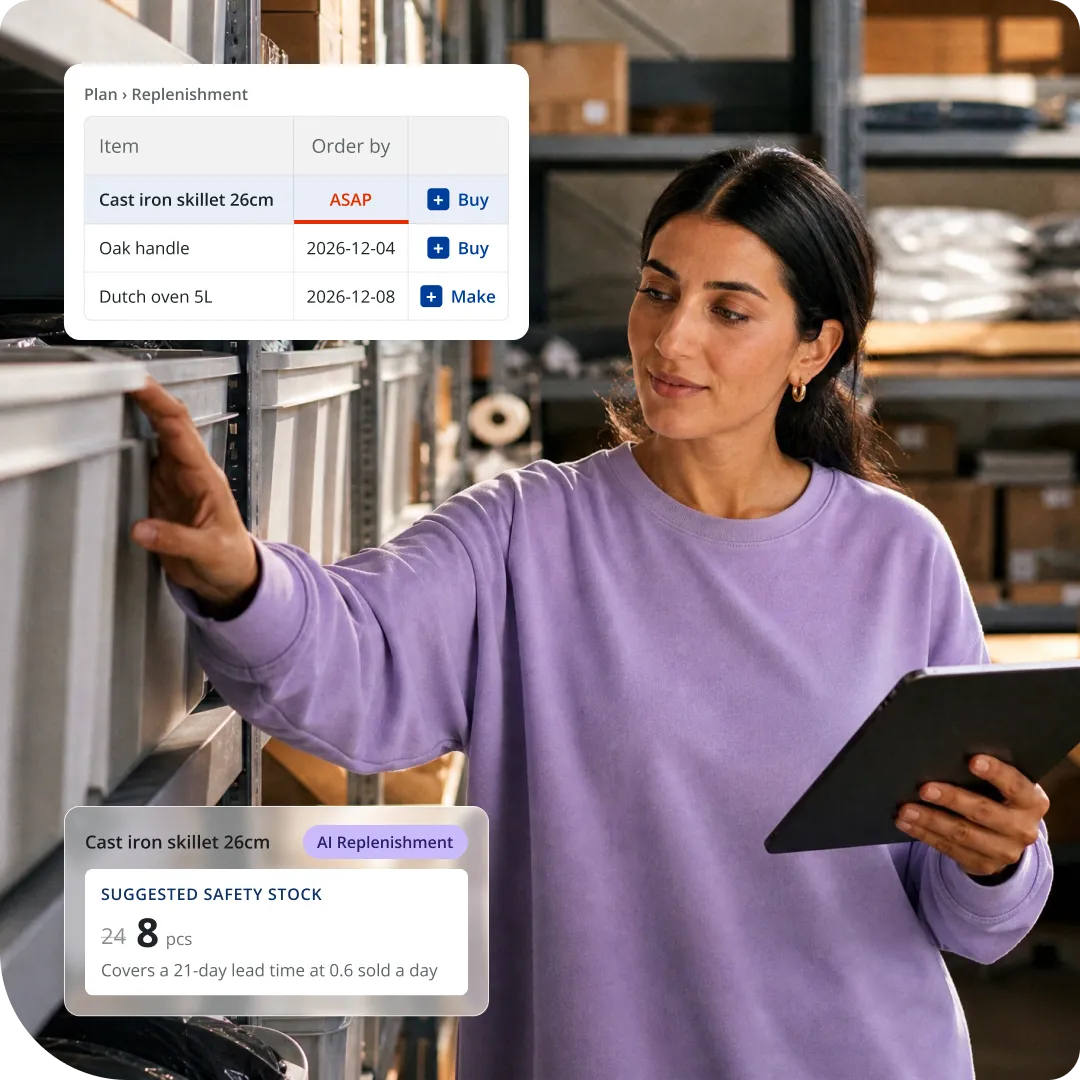
Reorder before you run out, without overbuying
Set reorder points and safety stock for every item, and catch stockouts before they happen with Katana’s reorder point software.






Plan ahead to meet demand
Keep stock levels optimal across every product and location, and set reorder points around how fast you sell and how long suppliers take.
Reorder points living in a spreadsheet?
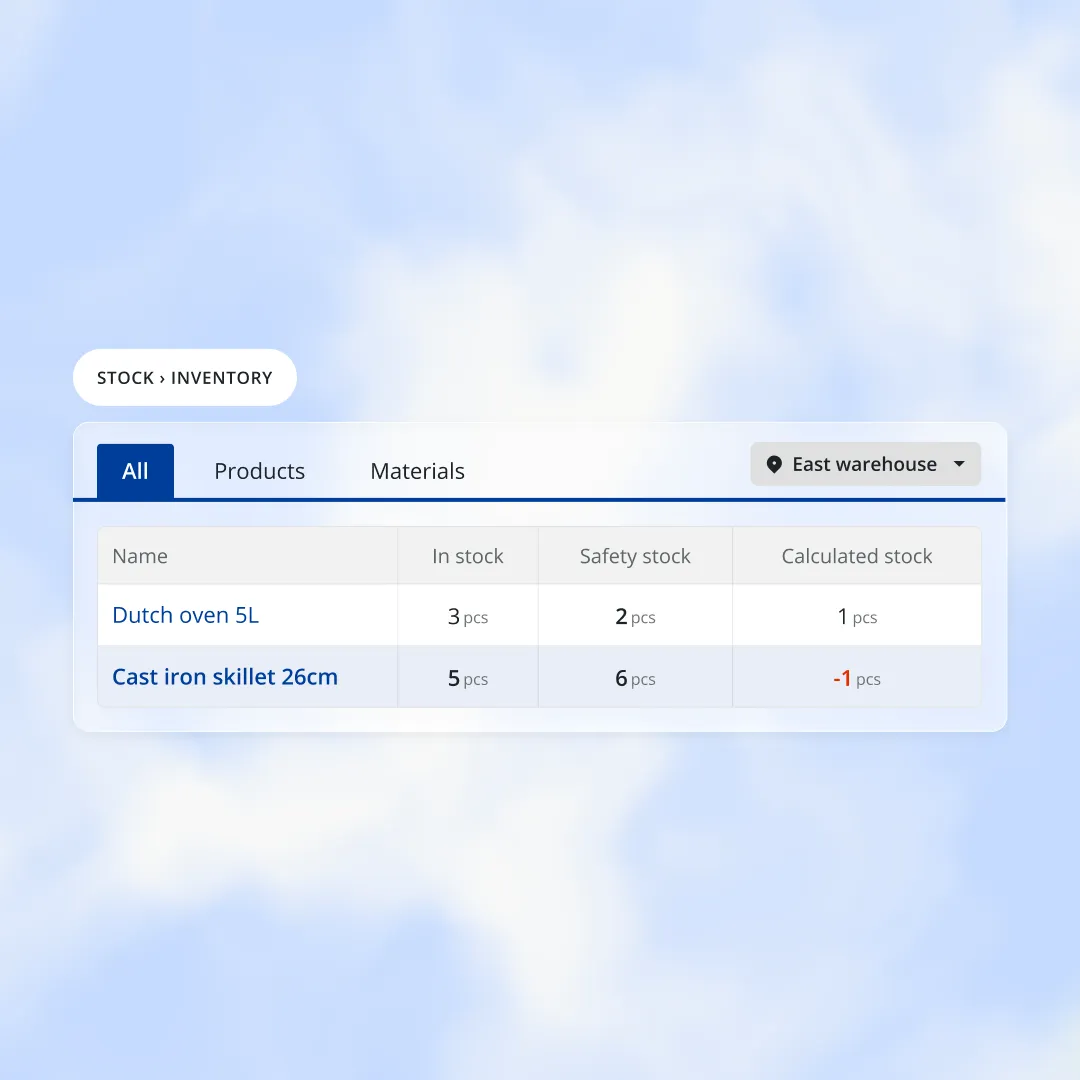
Set reorder points for every item and location
Set safety stock for each product and material, per location, and see it next to live stock in one view.
- Safety stock levels. Set a minimum stock level for every product and material.
- Location-level settings. Give each warehouse its own safety stock, based on what it sells.
- Supplier terms. Set each supplier’s lead time and minimum order for every item.
Checking stock item by item?
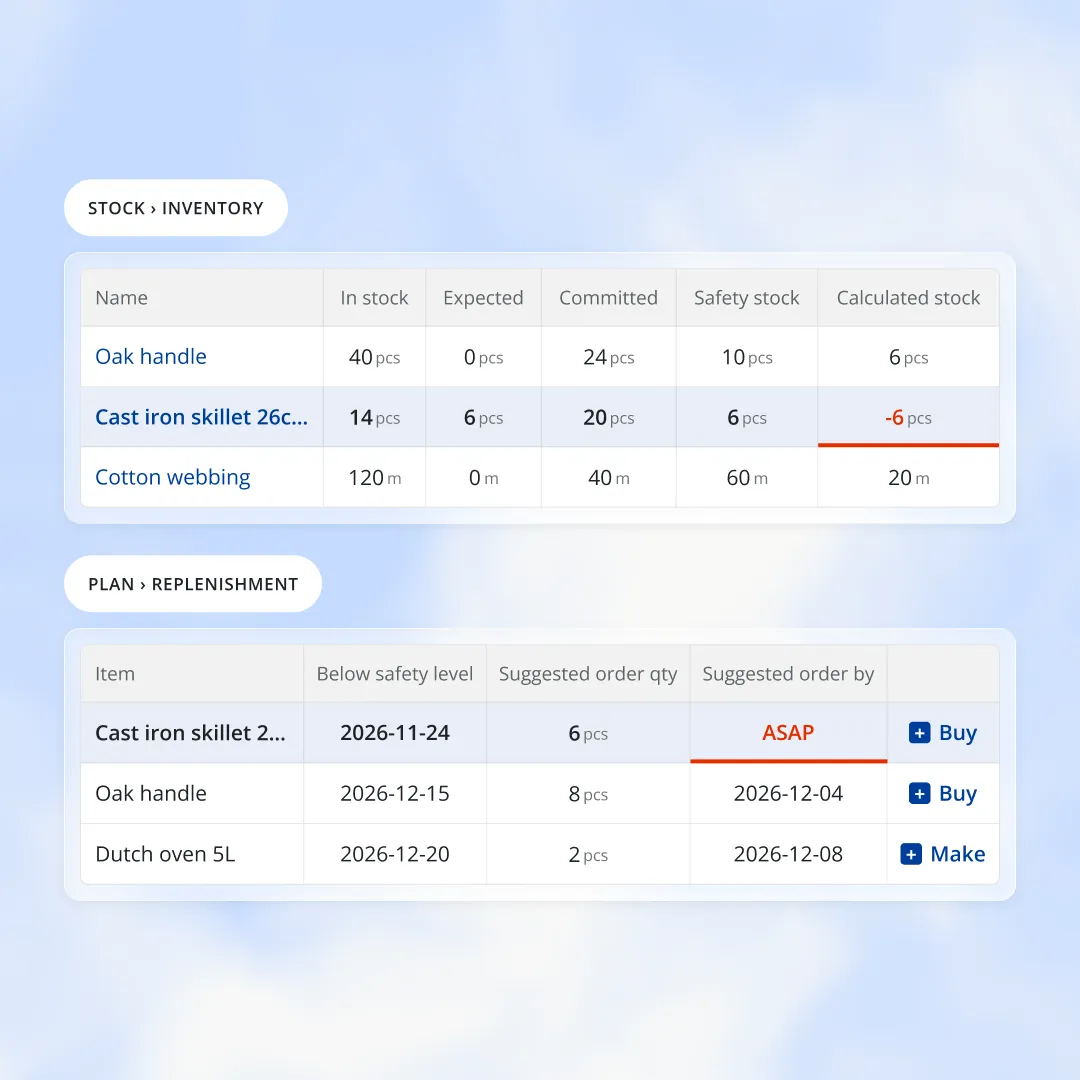
See what needs reordering at a glance
Weigh stock on hand, expected deliveries, and committed orders against safety stock, and see what needs ordering in red.
- Calculated stock. See each item’s stock once open orders, deliveries, and safety stock are counted.
- Katana AI. Ask which items are below their reorder point, and get the answer right inside Katana.
Only noticing when it’s gone?
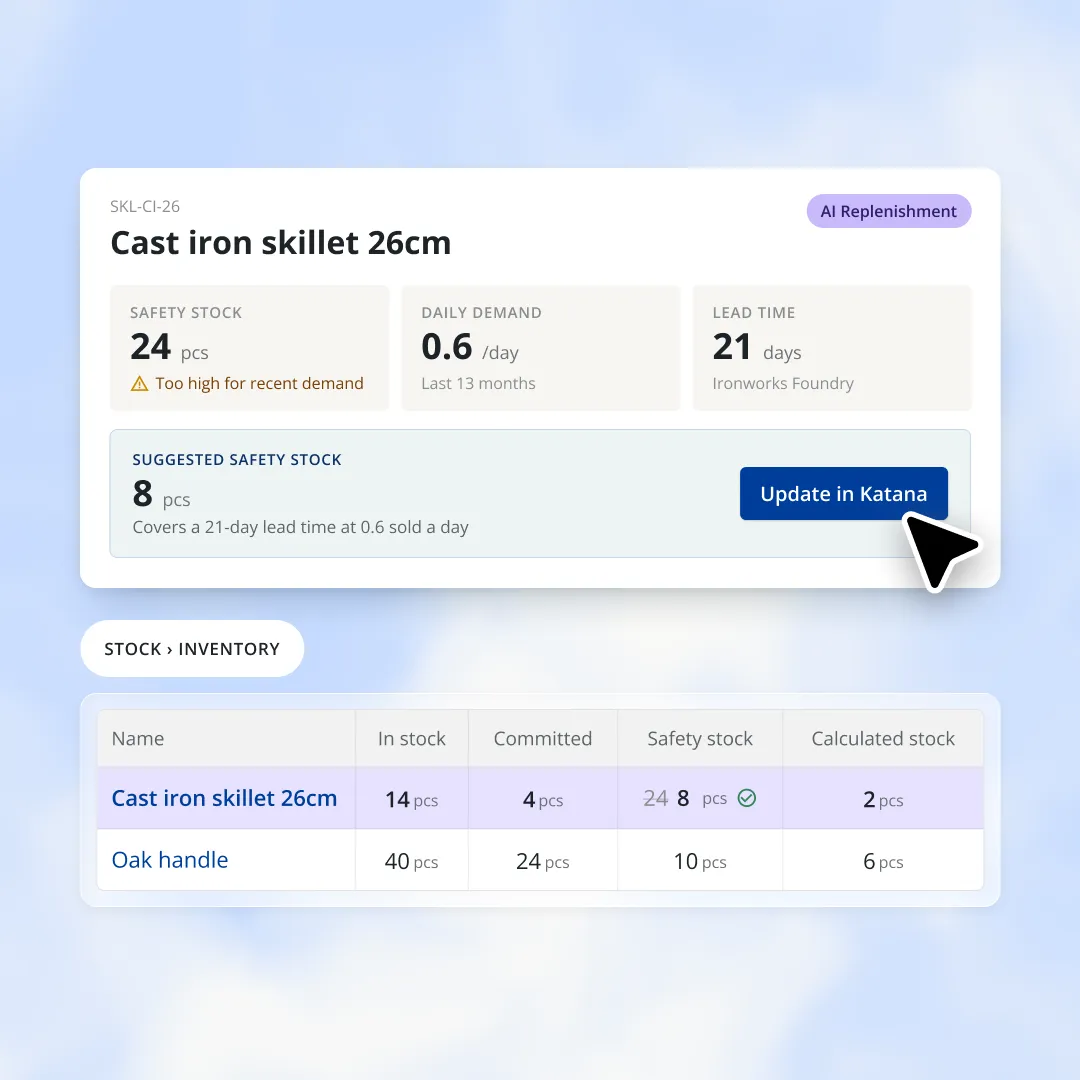
Catch stockouts early with AI-driven alerts
Stockout Risk watches every item and flags the ones that will run out before a reorder can arrive, based on each item’s lead time.
- Days of stock left. See how long each flagged item will last and how much to order to cover it.
- Order from the flag. Buy or make any flagged item from the same screen, at the suggested quantity.
Set up and built around you
As your business grows, Katana grows with you: keep building with our team, your own developers, or a verified partner.
We build what’s missing
Planning that fits your buying cycle
Our Solutions Engineers map your planning and reordering routine, and our team adds the custom planning reports and automated reorder workflows it needs.
Built for planning customers:
How we get you started
Step 1
We map your process.
Your Solutions Engineer learns how you work and scopes your setup.
Step 2
We move your data in
From spreadsheets or your old system, history included.
Step 3
We train your team
With a dedicated CSM, before and after go-live.
Step 4
We stay with you
Direct access to your team, without tickets or queues.
Real results from real people


$40k+ in recovered inventory
How full inventory control across Shopify and Quickbooks uncovered thousands in misplaced raw materials and gave way to a 5x facility expansion.

No more $80k a year in workarounds
How Shoreline Manufacturing moved off an old ERP and onto a personalized system built around its shop, live in under two months.


Fully set up in 2 hours
How Nooma connected Amazon and its two Shopify stores in a few clicks and now manages most of its sales from Katana.


25 tools, all connected to Katana
How Stella Soomlais runs its whole studio with Katana at the center.


Full traceability with Katana
How lot tracking and manufacturing orders in Katana gave Cornbread Hemp recall-ready visibility across every batch, from raw plant to finished CBD oil.


2x sales orders handled
How Katana’s Shopify and Xero integrations cut data duplication and let Naturewall process twice the orders without adding admin overhead.


30+ hours saved weekly
How Katana and Shiptheory consolidated multi-channel inventory and automated shipping labels to handle a peak-heavy sales calendar.


+50% on-demand product range
How made-to-order workflows in Katana and a Shopify helped manage 120+ NBA and NFL licenses without overproducing or holding excess stock.


No oversells during peak seasons
How Katana’s multi-level BOMs and automatic Shopify sync prevent oversells and manage long lead times across seasonal peaks.

















Track every order and stock movement live, across sales, inventory, and production
Automate fulfillment and extend workflows through integrations, an open API, and AI chats via MCP
Customize freely using Katana’s open API, and connect every tool to your own workflows
Frequently asked questions
Multiply average daily sales by your supplier’s lead time in days, then add safety stock. Katana stores that level for each item and location, and items below it show in red.
Safety stock is the buffer you keep for surprises, and the reorder point is the level that tells you to order, safety stock included. Katana uses your safety stock level as the trigger point for each item.
Katana’s AI Forecasting recommends a safety stock level for each SKU, and you decide whether to use it.
Yes. Katana subtracts committed orders and adds expected deliveries before comparing stock with your safety stock, and shows the result as calculated stock.
Katana checks your whole catalog against recent sales, current stock, and supplier lead times, and flags each item that will run out before a new order can arrive. You can buy or make the item straight from the flag, or run AI Forecasting on it for a closer look.
Step toward your next growth stage
Book a personalized demo and see how Katana can help you manage inventory in real time.