
Multichannel Order Management: How It Works and What You Need
Multichannel order management is the process of tracking, routing, and fulfilling orders from multiple sales channels — Shopify, Amazon, wholesale, retail — through one connected system. It keeps stock levels accurate across every channel, reduces manual errors, and gives your team a single view of every open order, no matter where it came from.














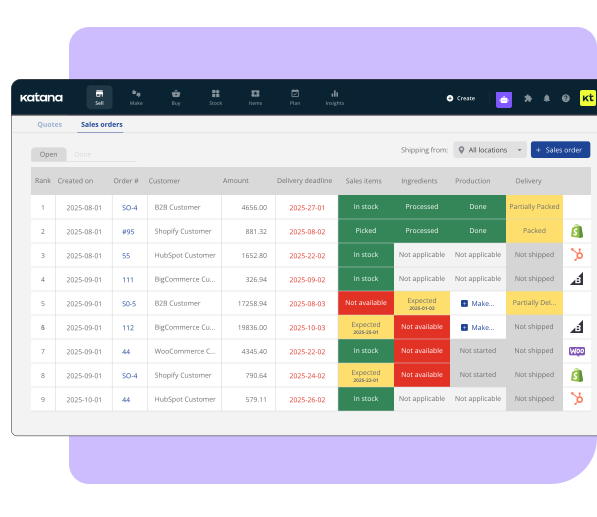
What is multichannel order management?
Multichannel order management means connecting the places you sell to the operations that fulfill those orders. Orders from every channel flow into one queue. Inventory updates in real time across all of them. Fulfillment gets routed to the right location automatically.
Without it, each channel operates in isolation. Shopify shows its own order list. Amazon Seller Central shows another. Wholesale orders sit in your inbox or a separate portal. Your warehouse team works from one of those systems, or more likely from a spreadsheet that’s already out of date. The result is oversells, missed orders, and a lot of manual reconciliation work that shouldn’t exist.
Multichannel order management solves the coordination layer. It doesn’t replace your sales channels — it sits between them and your fulfillment operations so orders move without manual intervention.
For a deeper look at the inventory side of this, see multichannel inventory management.
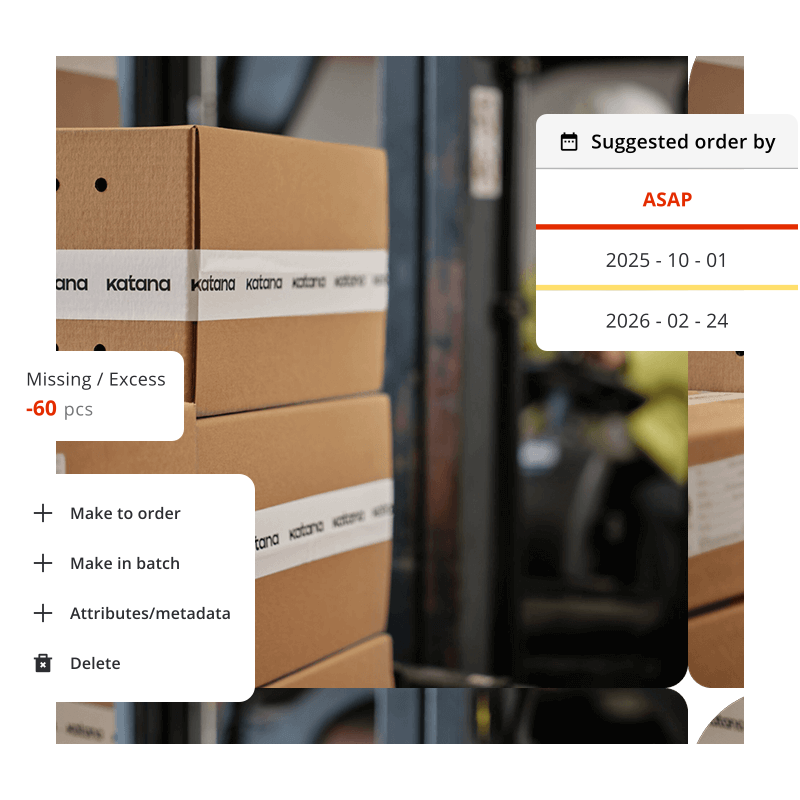
Why do growing brands struggle to manage orders across multiple channels?
The tools most brands use to start selling aren’t designed to connect with each other. Shopify manages Shopify. Amazon manages Amazon. When a business adds a second channel, the manual coordination work doubles. Add a third, and it stops being manageable without a dedicated person or a system to handle it.
According to a study from Harvard Business Review, more than 73% of online shoppers use multiple channels before buying. Brands that sell on those channels need operational infrastructure to match. Most don’t build it until the problems become expensive.
The specific pain points:
Stock allocation
When inventory is limited, which channel gets priority? Without a system, allocation is manual and inconsistent. High-volume channels often oversell; slower channels hold stock that should have moved.
Fulfillment routing
Orders need to go to the right location — your warehouse, a 3PL, a dropship supplier. At low volume you can route manually. At 100+ orders a day across three channels, manual routing breaks.
Returns
A customer buys on Amazon and returns through your website. The item needs to be inspected, restocked, and reconciled across two systems. Without a shared order record, this creates more manual work at exactly the point where your team is already stretched.
Margin visibility
Fees and fulfillment costs vary by channel. Without a connected view, you can’t see which channels are actually profitable once shipping, marketplace fees, and returns are factored in.
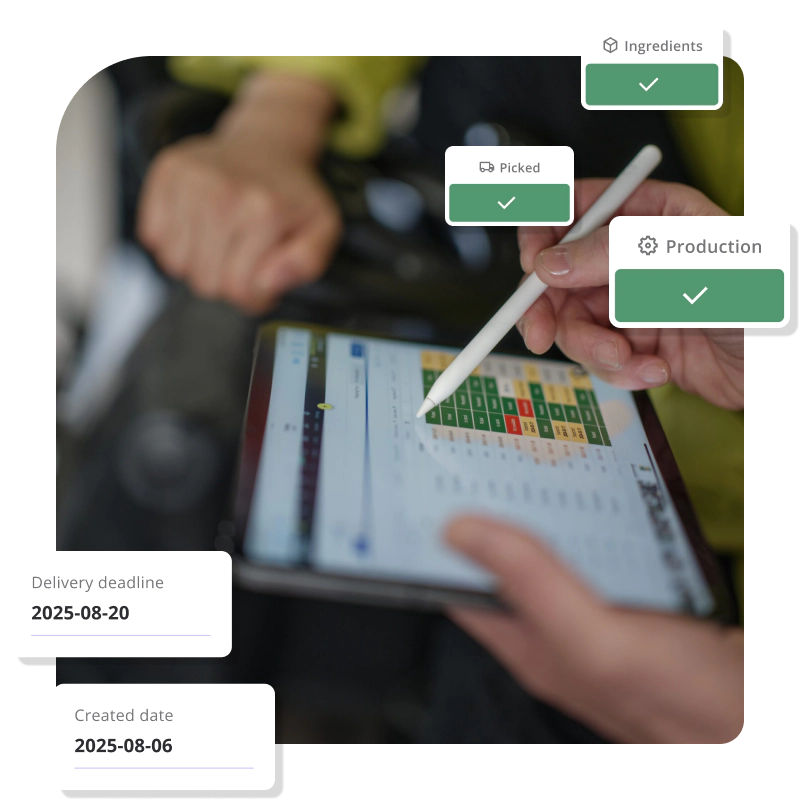
What does multichannel order management software actually do?
The core job is aggregation, sync, and routing — pulling orders in, keeping inventory accurate, and moving fulfillment forward.
“We have three to ten locations depending on which package. The key is seeing everything from one place.”
— Katana Customer
Order aggregation
All orders from all channels feed into a single queue. Your team doesn’t need to check Shopify, Amazon, and a wholesale portal separately. Everything is i
Real-time inventory sync
When an order is placed on any channel, available stock updates everywhere else immediately. This is what prevents oversells. A 1-unit delay in that update is enough to cause a double-sell at moderate volume.
Fulfillment routing
Rules-based assignment sends orders to the right location — by SKU, by channel, by region, or by stock availability. This can be as simple as “warehouse A handles all Shopify orders” or as complex as “route to the nearest 3PL with stock if the main warehouse is under minimum threshold.”
Returns management
Accepted returns trigger restocking or write-offs depending on condition. The return record links back to the original order and updates channel inventory accordingly
Reporting
Order status, fulfillment performance, and stock health across all channels and locations in one view. Some platforms extend this to channel-level margin analysis once connected to accounting.
For teams that sell on Shopify and Amazon specifically, see how to
sync Shopify and Amazon inventory in real time.
- Does it connect to all your channels? Check which integrations exist before anything else. A platform missing a key channel creates a manual gap that defeats the purpose.
- How does it handle multi-location inventory? If you have more than one warehouse or 3PL, you need location-level stock visibility. Total stock counts aren’t useful if you can’t see where inventory actually is.
- What’s the pricing model? Per-order pricing compounds fast at high volume. Look for flat-rate or per-seat pricing if your order volume is growing or seasonal. Many multichannel order management systems charge per seat rather than per order, which keeps costs predictable.
- How long does setup take? Small teams can’t afford a three-month implementation. Look for a multichannel order management software that connects to your existing tools without requiring a dedicated admin or lengthy onboarding.
- Does it handle any production or assembly? If you assemble, kit, or manufacture any of your products before shipping, standard OMS tools don’t cover this. You need a system that tracks materials and work orders alongside sales orders.
See the full breakdown of what to evaluate in multi-channel inventory software.
Multichannel order management software: how the options compare
|
SPREADSHEETS |
BASIC OMS |
KATANA |
FULL ERP |
|
|---|---|---|---|---|
|
Multichannel order aggregation |
Manual |
Limited |
||
|
Real-time inventory sync |
No |
Limited |
||
|
Multi-location stock visibility |
No |
Limited |
||
|
Fulfillment routing rules |
No |
Basic |
||
|
Assembly / light manufacturing |
No |
No |
||
|
Shopify + Amazon integrations |
No |
Varies |
Varies |
|
|
Accounting integration |
Manual |
Limited |
||
|
Typical setup time |
— |
Days—Weeks |
Days |
Months |
|
Pricing model |
Free |
Pre-order |
Per seat |
High fixed cost |
|
Right for teams of 3–20 |
— |
Sometimes |
Rarely |

How Katana handles multichannel order management
Katana is built for product businesses that sell across channels and need real-time control over inventory, orders, and fulfillment — without the complexity of a full ERP.
It connects to Shopify, Amazon, WooCommerce, and other platforms, pulling all orders into one queue. When an order comes in, Katana checks stock availability and routes it to the right location. If you work with multiple warehouses or 3PLs, location-level inventory is tracked throughout. Orders move from confirmed to fulfilled with the minimum number of manual steps.
Where Katana goes beyond a basic OMS: it also handles production and assembly. If any of your products are manufactured, kitted, or assembled before they ship — even partially — Katana tracks the materials and work orders alongside your sales orders.
Katana connects with QuickBooks and Xero, so order data syncs to accounting automatically. It also has an open API for teams with specific tools or workflows that need custom connections.
For teams managing fulfillment across channels, see how multichannel order fulfillment software fits into the stack.

The difference between omnichannel and multichannel order management
Multichannel means selling through multiple independent channels — each has its own experience and operations, managed together through a shared backend. Omnichannel goes further: it creates a unified customer experience across all channels, including consistent pricing, promotions, loyalty, and service.
For most small and mid-sized product businesses, multichannel order management is the right goal. Omnichannel infrastructure adds significant complexity and cost, and is usually relevant once you’re operating at larger scale with dedicated customer experience teams.
See omnichannel vs multichannel inventory management for a full comparison of both models.
Running multiple locations with separate spreadsheets?
Unify your inventory view. Katana shows every warehouse, every item, and every stock movement from one dashboard, with real-time sync between locations.
Explore Katana’s inventory capabilities
Frequently asked questions
An order management system (OMS) tracks orders — from placement through fulfillment and return. An inventory management system (IMS) tracks stock — quantities, locations, and movements. Most growing product businesses need both, which is why many platforms combine them. The two systems share the same real-time inventory data: an order placed in the OMS immediately reduces available stock in the IMS.
Most teams feel the friction somewhere between two and three active channels, or at around 50–100 orders per day. Below that, manual coordination is painful but manageable. Above it, manual processes reliably break — stock errors, missed orders, or delayed fulfillment become a daily occurrence rather than an occasional one.
Shopify manages Shopify orders well. For Amazon, wholesale, and other non-Shopify channels, you’d need third-party apps or a separate system to aggregate orders and sync inventory. As channel count and order volume grow, a dedicated order management layer becomes more reliable than patching together multiple Shopify apps.
It depends on the platform. Some support wholesale order entry, net payment terms, and B2B-specific pricing natively. Others treat all orders the same regardless of channel type. If wholesale is a meaningful part of your business, confirm that the platform handles B2B order flows before committing.
If you’re managing orders across more than one channel and spending time on coordination you shouldn’t have to do, get started with a free Katana plan and see how it connects your stack. See Katana pricing for current plans.
See all your locations from one screen
Start free with Katana. Set up your warehouses, track stock movements, and manage transfers — all from one dashboard with real-time sync.
