
How to Choose Multi-Channel Inventory Management Software: What Actually Matters
Multi-channel inventory management software keeps stock levels accurate across every sales channel in real time — so when a product sells on Amazon, your Shopify store and wholesale portal update immediately. It prevents oversells, removes manual reconciliation, and gives your team one source of truth for everything in stock.















What does multi-channel inventory management software actually do?
At its core, multi-channel inventory management software solves one problem: keeping a single, accurate inventory record that every channel reads from and writes to.
When an order comes in on any channel, the software reduces available stock everywhere else before the next customer can buy the same unit. When a shipment arrives from a supplier, it updates across all channels at once. When a return is processed, it restocks the item — or writes it off — without anyone manually updating three systems.
That’s the foundation. From there, platforms vary widely in what else they handle: purchase orders, production, forecasting, fulfillment routing, and accounting integration.
For brands that sell across more than two channels, this is the piece of infrastructure that holds everything else together. Without it, inventory accuracy depends on whoever remembered to update the spreadsheet last.

What are the most important features to evaluate?
Not every feature list matters equally. These are the ones that determine whether a system actually works for your operation:
- Real-time sync speed. How quickly does an order on one channel reduce availability on others? A system with a 15-minute sync interval is fast enough for low-volume brands but dangerous during a flash sale. Most modern platforms sync in seconds, but it’s worth confirming for your specific channels.
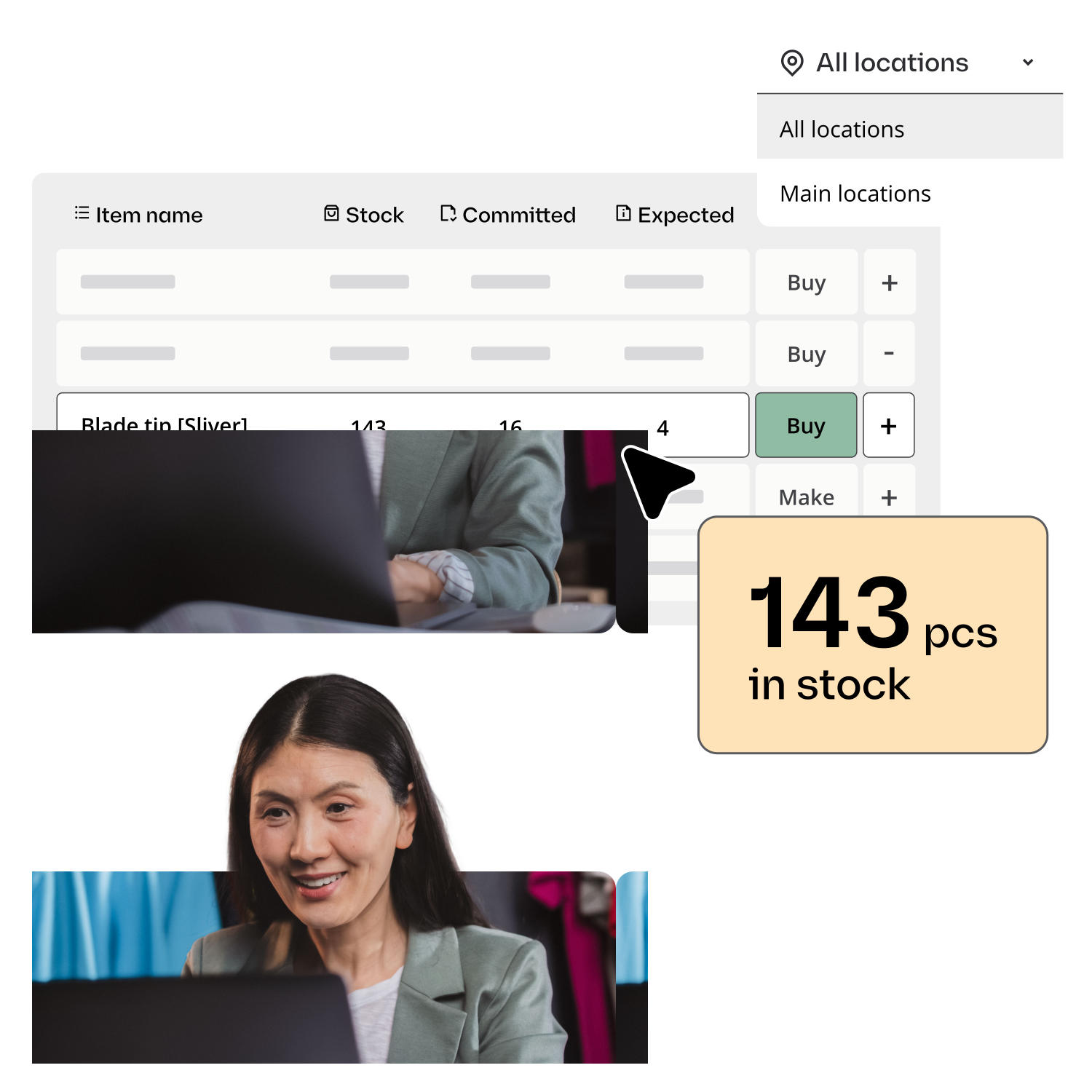
- Location-level stock visibility. If you have more than one warehouse or 3PL, you need to see stock by location — not just a total count. “150 units in stock” isn’t useful if 100 of them are at a 3PL that doesn’t fulfill your Shopify orders.
- Native integrations vs. third-party connectors. Native integrations (built and maintained by the software vendor) are generally more reliable than third-party connectors. Check specifically whether the integration handles order write-back, inventory updates, fulfillment confirmation, and return sync — or just a subset of those.
- Handling of bundles and kits. If you sell bundles or kits, the system needs to track component-level stock and allocate correctly when a bundle is sold. Many basic platforms handle simple SKUs well but break down on kits.
- Purchase order management. Can you raise POs directly in the system and have inbound stock update availability when received? Or does that still happen in a spreadsheet?
According to Shopify, merchants that sell on multiple channels generate 190% more revenue on average than single-channel sellers — which explains why inventory accuracy becomes critical at scale.

How does multi-channel inventory management software fit into the wider stack?
Multi-channel inventory management software sits between your sales channels and your fulfillment operations. It’s not your storefront, your 3PL portal, or your accounting system — it connects to all of them.
A typical stack looks like this:
- Sales channels (Shopify, Amazon, WooCommerce, wholesale portal) feed orders and receive stock updates
- Multi-channel inventory software holds the single inventory record, routes orders, tracks fulfillment
- Warehouse / 3PL receives pick-and-pack instructions, confirms shipments
- Accounting (QuickBooks, Xero) receives order and COGS data automatically
The inventory software is the hub. Everything else connects to it. When the hub works, the rest of the stack runs with fewer manual steps.
For a full breakdown of how order routing fits into this, see multichannel order management.
What’s the difference between multi-channel inventory management software and a full ERP?
ERPs are comprehensive systems that cover finance, HR, CRM, manufacturing, and more. For a 5-person product business, that’s far more than you need — and the setup time, cost, and ongoing maintenance reflect it.
Multi-channel inventory management software does the inventory and order management job without the surrounding complexity. It connects to your existing tools (Shopify, Amazon, your 3PL, your accounting software) rather than replacing them.
The tradeoff: specialized inventory software typically has less financial reporting depth than an ERP. But for brands under $20M ARR with lean teams, inventory and order management software plus a dedicated accounting tool covers the operational needs without the overhead of a full ERP implementation.
Katana pricing is per seat rather than per order, which makes costs predictable at higher volumes.
How Katana approaches multi-channel inventory
Katana connects to Shopify, Amazon, WooCommerce, and other channels, maintaining a real-time inventory record across all of them. Orders from every channel feed into one queue. Stock updates the moment an order is confirmed.
Beyond standard inventory sync, Katana tracks inventory at the location level for teams managing multiple warehouses or 3PLs. It also handles production and assembly — tracking components and work orders alongside finished goods inventory. This is the key difference from a basic multi-channel inventory tool: Katana covers the whole stock lifecycle, from raw material through to shipped order.
For teams that need to manage multichannel fulfillment routing, see multichannel order fulfilment software.
Explore Katana’s inventory capabilities
Frequently asked questions
Most platforms support 3PL integration, but the depth varies. At minimum, you should be able to see location-level stock at your 3PL and receive fulfillment confirmations. Better platforms support automated order routing to 3PLs based on rules, and real-time inbound tracking when stock arrives at the 3PL. Confirm your specific 3PL is supported before committing to a platform.
Bundles and kits need component-level tracking. When a bundle sells, the system should reduce stock for each component immediately. Not all platforms handle this natively — it’s one of the first questions to test during a trial or demo if bundles are a meaningful part of your catalogue.
Yes — and it’s typically most valuable for small businesses. Larger operations often use ERPs or custom integrations. Small businesses (3–20 people, 2+ channels) benefit most from purpose-built multi-channel inventory management software because the operational complexity relative to team size is highest.
Good platforms queue updates and sync them when the connection restores, rather than losing data. Some also allow you to temporarily hold orders from the affected channel while the issue is resolved. Ask specifically about this during evaluation — it’s a practical question that reveals a lot about how the platform handles edge cases.
If your team is managing inventory across channels and running into stock errors or manual reconciliation work, get started with a free Katana plan to see how real-time sync across your stack works in practice.
Let software handle the repetitive work
Start automating inventory management today. Katana’s free plan includes reorder points, sales channel sync, and BOM-based tracking. No credit card required.
