
How to Sync Shopify and Amazon Inventory in Real Time
To sync Shopify and Amazon inventory in real time, you need a system that holds a single shared inventory record and updates both platforms the moment an order is placed or stock moves. That system sits between your channels — it’s not Shopify, it’s not Amazon Seller Central — and it keeps both sides accurate automatically.














Why syncing Shopify and Amazon inventory is harder than it looks
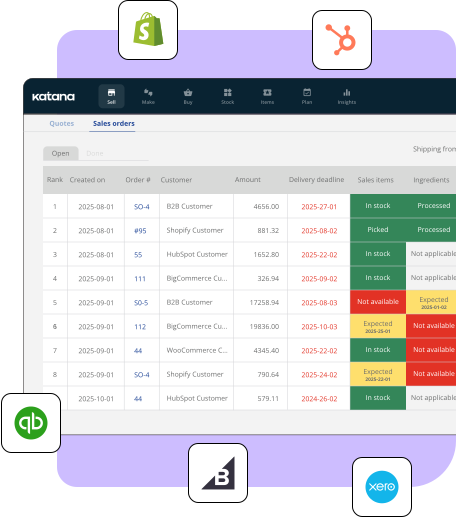
Shopify and Amazon each maintain their own inventory counts. They don’t talk to each other natively. When an order comes in on Amazon, Shopify still shows the pre-order stock level until someone updates it manually — or until your next sync interval fires.
At low order volumes, that lag is manageable. At 50+ orders per day across both channels, it isn’t. The gap between an Amazon sale and a Shopify stock update is long enough for an oversell to happen, especially during promotions or product launches when velocity spikes.
The other problem: Amazon’s inventory system is separate by design. Fulfillment by Amazon (FBA) and Fulfillment by Merchant (FBM) have different stock pools. If you use both, you’re managing multiple inventory states across two platforms — none of which update each other automatically.
What are the options for syncing Shopify and Amazon inventory?
According to JungleScout, 65% of Amazon sellers also sell on at least one other platform. For most of them, inventory sync is an ongoing operational challenge rather than a solved problem.

How to set up real-time Shopify and Amazon inventory sync
The steps vary by platform, but the general process is the same:
- Map your SKUs. Your product identifiers need to match between Shopify and Amazon. ASIN mapping errors are the most common cause of sync failures. Audit your SKU list before connecting anything.
- Connect both channels to a central system. The inventory system connects to Shopify via the Shopify API and to Amazon via SP-API (Selling Partner API). This is how real-time updates flow in both directions.
- Set fulfillment rules. Decide which orders ship from where. FBA orders fulfill through Amazon. FBM and Shopify orders might fulfill from your warehouse or a 3PL. Define these rules in the inventory system so orders route automatically.
- Test with a small SKU batch. Before going live, run a test: place orders on both channels and confirm that stock updates correctly on the other side within the expected timeframe.
- Monitor for exceptions. Real-time sync doesn’t mean zero errors. API rate limits, temporary Amazon outages, and SKU mismatches create edge cases. Good inventory software flags these rather than silently failing.
For the broader order management setup that sits around this, see multichannel order management.
How Katana handles Shopify and Amazon inventory sync
Katana connects to both Shopify and Amazon, holding the master inventory record and updating both platforms in real time as orders are placed. Orders from both channels feed into a single queue. Fulfillment routes to the right location based on the rules you set.
For brands that assemble, kit, or manufacture products before shipping, Katana tracks component-level inventory alongside finished goods — so a bundle sold on Amazon correctly reduces the right components in your warehouse, and Shopify shows the updated finished-good availability immediately.
See Katana pricing for current plans.
Explore Katana’s inventory capabilities
Frequently asked questions
Not natively. Shopify and Amazon are separate platforms with separate inventory systems. To sync them automatically, you need either a dedicated Shopify app that connects to Amazon Seller Central or an inventory management system that connects to both. Native Shopify-Amazon inventory sync doesn’t exist without a third-party tool.
It depends on the tool. Shopify apps typically sync every 5–15 minutes. Dedicated inventory management platforms sync in near-real time (seconds) via API connections. For high-volume sellers, the difference matters: a 15-minute sync interval is enough time for a double-sell during a promotion or flash sale.
Good inventory management systems queue the update and apply it when the connection restores. They also alert you to the failure so you can manually hold orders if needed. Basic Shopify apps may silently fail during outages. Before choosing a sync tool, ask specifically what happens during temporary channel outages.
Yes, with the right system. FBA stock (held in Amazon fulfillment centers) and FBM stock (held in your own warehouse) are separate pools and should be tracked separately. An inventory management system that handles both lets you set fulfillment rules by channel and order type — routing FBA orders through Amazon and FBM orders through your own warehouse — while maintaining accurate visibility into both pools.
If you’re managing inventory across Shopify and Amazon and still dealing with oversells or manual updates, get started with a free Katana plan to see how real-time sync across both channels works.
Ready to stop guessing and start counting accurately?
Katana’s real-time tracking, barcode scanning, and automated BOM deductions help manufacturers achieve 99%+ accuracy. Start free — no credit card required.
