
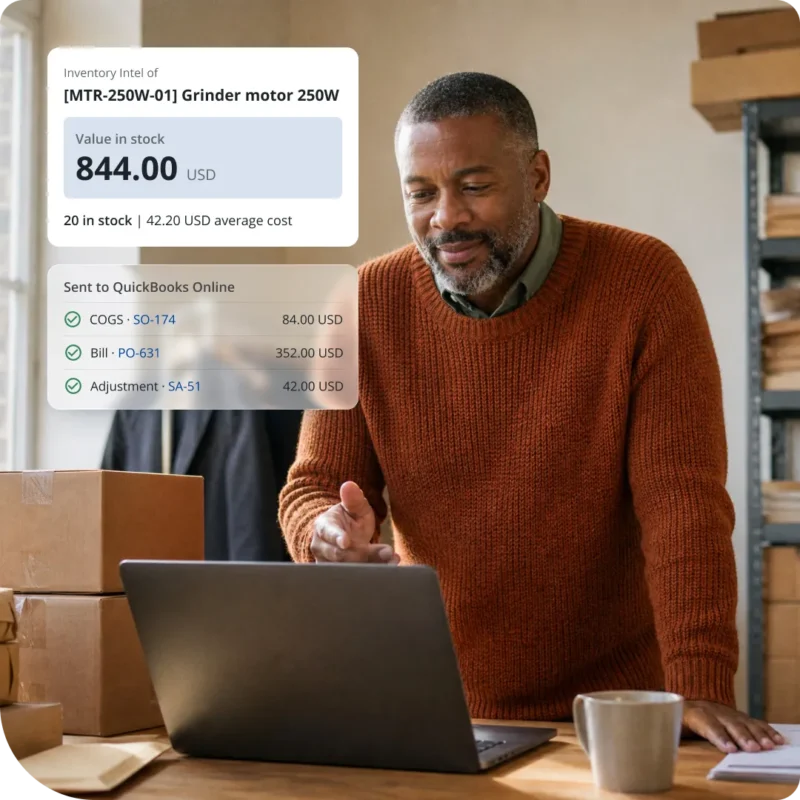
Close the month without a stock spreadsheet
Value every stock movement, track the cost of goods sold, and keep your books in sync with Katana’s inventory valuation software.






Inventory valuation that fits your accounting setup
Katana values stock at FIFO or moving average cost and sends your books what they need. Our team can also connect a local or country-specific accounting system.
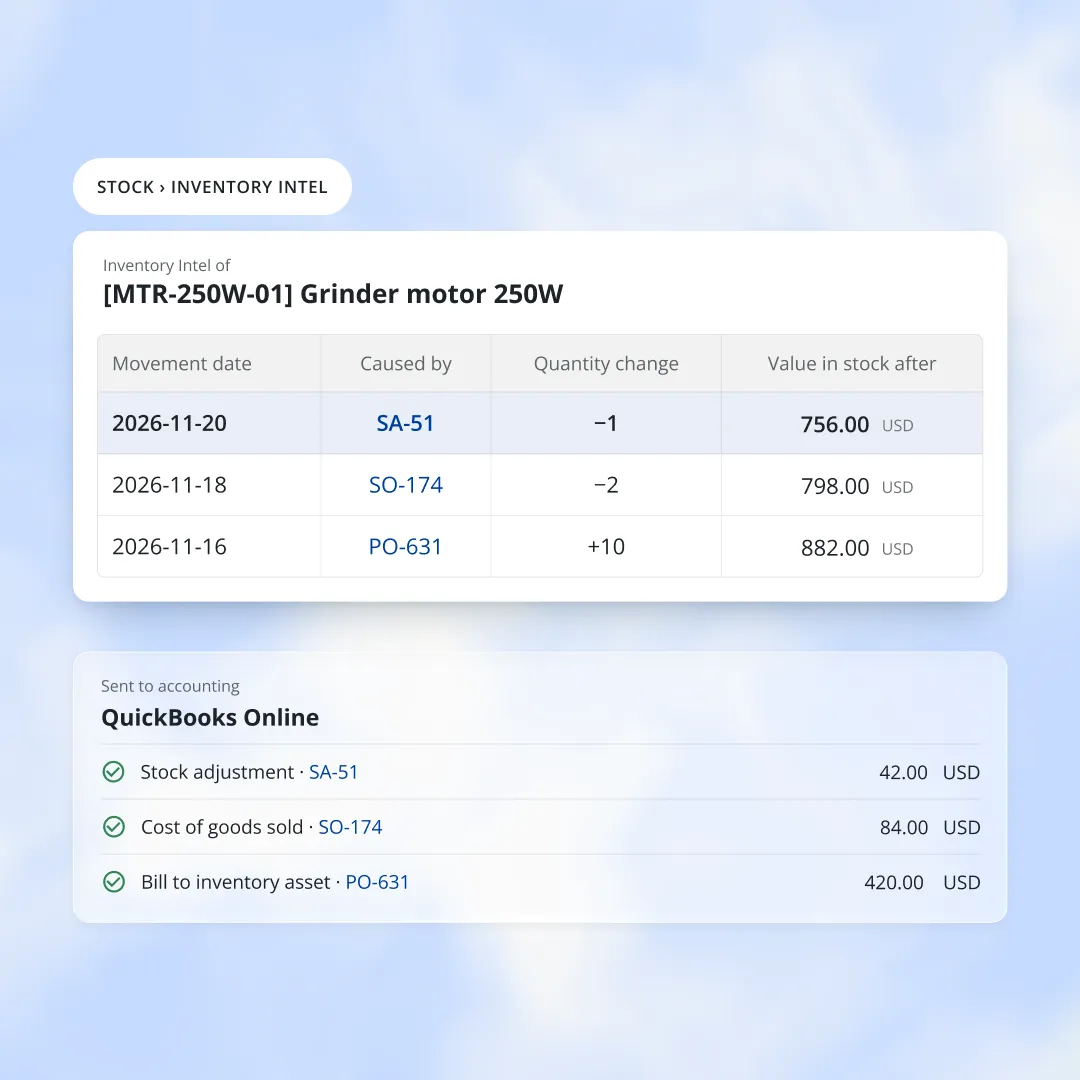
Books and stock value never match?
Keep stock value and your books in step
Send COGS, stock adjustments, and production costs to accounting software like QuickBooks, and close the month on matching numbers.
- COGS tracking. Record cost of goods sold on every delivered order, by product category.
- Inventory asset sync. Send bills to an inventory asset account, and keep your stock balance current.
- Adjustments and write-offs. Send stock adjustment values to your books when stock is written off.
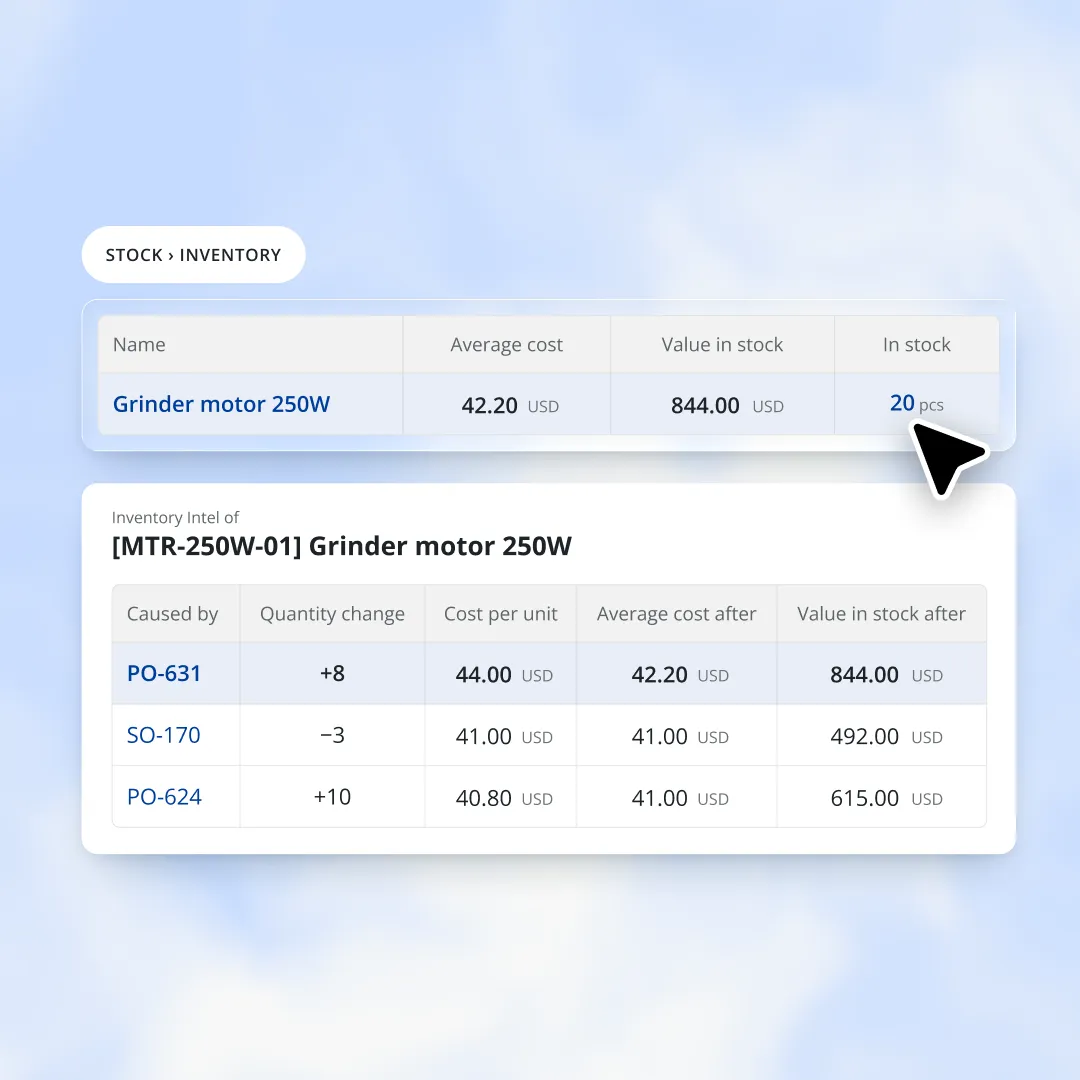
Not sure what each product costs you?
Know what every item in stock is worth
Value every receipt, build, and adjustment at FIFO or moving average cost, and keep stock value current.
- FIFO or moving average cost. Value stock the way your accountant needs, and keep unit costs current.
- Manufacturing costs. Include labor and overhead from your production steps in each product’s value.
- Stock value history. See each item’s value per location, and every movement that changed it.
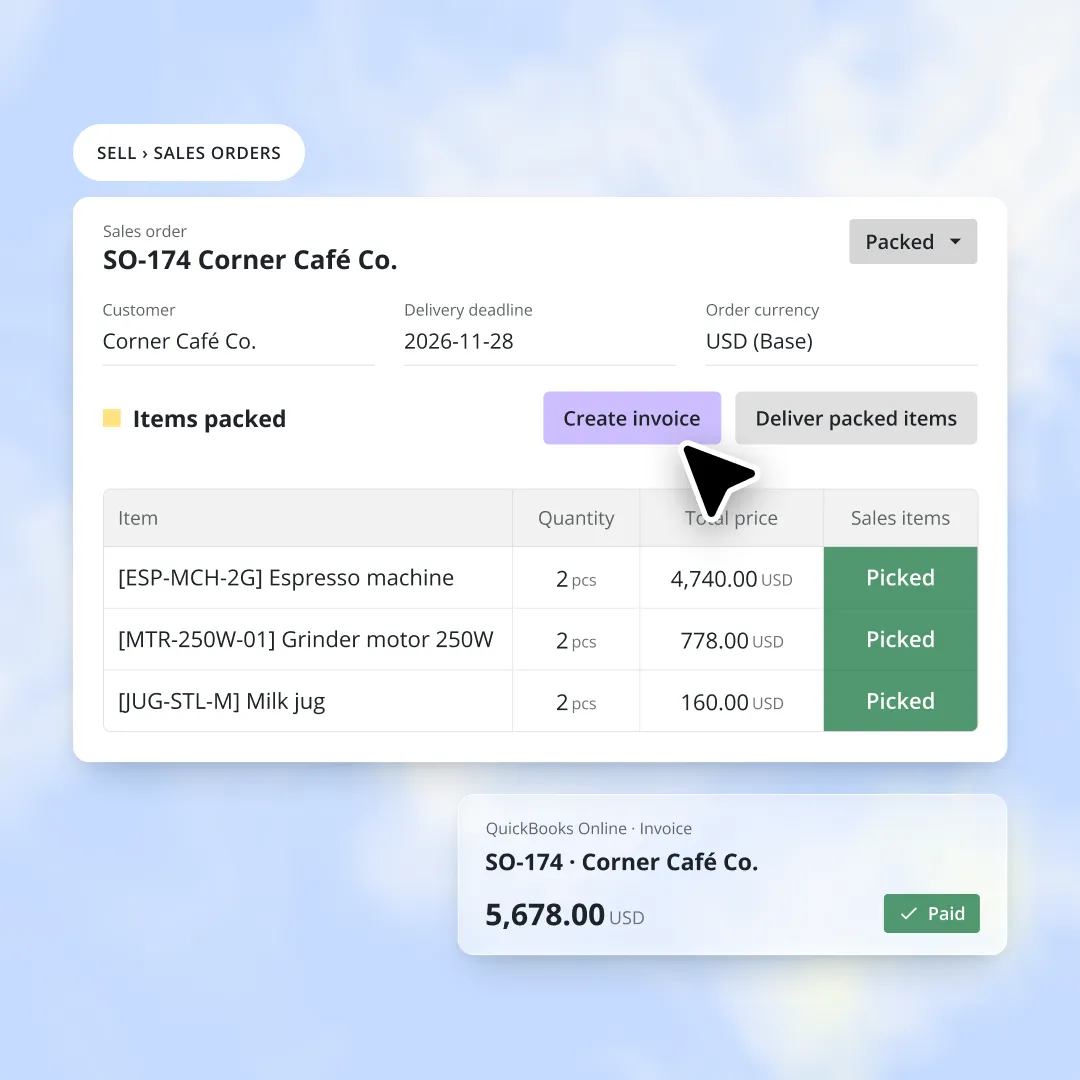
Re-entering orders into your accounting?
Send orders to your books without retyping
Turn sales orders into invoices and purchase orders into bills in your accounting software, like QuickBooks Online or Xero.
- Invoices from sales orders. Send any sales order to your books as an invoice.
- Bills from purchase orders. Turn each purchase order into a bill, freight and other costs included.
- Payment status. See in Katana when an invoice is paid in accounting software like QuickBooks Online.
Set up and built around you
As your business grows, Katana grows with you: keep building with our team, your own developers, or a verified partner.
Built for you, with you
Inventory software that bends to your business
Our team maps your business and builds your Katana to match, including custom dashboards, reports, and connectors.
Some of what we built for our customers:
How we get you started
Step 1
We map your process.
Your Solutions Engineer learns how you work and scopes your setup.
Step 2
We move your data in
From spreadsheets or your old system, history included.
Step 3
We train your team
With a dedicated CSM, before and after go-live.
Step 4
We stay with you
Direct access to your team, without tickets or queues.
Real results from real people


$40k+ in recovered inventory
How full inventory control across Shopify and Quickbooks uncovered thousands in misplaced raw materials and gave way to a 5x facility expansion.


No more $80k a year in workarounds
How Shoreline Manufacturing moved off an old ERP and onto a personalized system built around its shop, live in under two months.


Fully set up in 2 hours
How Nooma connected Amazon and its two Shopify stores in a few clicks and now manages most of its sales from Katana.


25 tools, all connected to Katana
How Stella Soomlais runs its whole studio with Katana at the center.


Full traceability with Katana
How lot tracking and manufacturing orders in Katana gave Cornbread Hemp recall-ready visibility across every batch, from raw plant to finished CBD oil.


2x sales orders handled
How Katana’s Shopify and Xero integrations cut data duplication and let Naturewall process twice the orders without adding admin overhead.


30+ hours saved weekly
How Katana and Shiptheory consolidated multi-channel inventory and automated shipping labels to handle a peak-heavy sales calendar.


+50% on-demand product range
How made-to-order workflows in Katana and a Shopify helped manage 120+ NBA and NFL licenses without overproducing or holding excess stock.


No oversells during peak seasons
How Katana’s multi-level BOMs and automatic Shopify sync prevent oversells and manage long lead times across seasonal peaks.

















Track every order and stock movement live, across sales, inventory, and production
Automate fulfillment and extend workflows through integrations, an open API, and AI chats via MCP
Customize freely using Katana’s open API, and connect every tool to your own workflows
Frequently asked questions
Inventory valuation software works out what your stock is worth and what each sale costs you. Katana tracks both as stock moves and orders ship.
Katana values stock at FIFO or moving average cost. With moving average, an item’s unit cost updates whenever new stock arrives or a build is completed.
Yes. When an invoiced sales order is delivered, Katana sends QuickBooks Online, QuickBooks Desktop, or Intuit Enterprise Suite a journal entry that credits inventory and debits cost of goods sold.
Your financial statements, ledger, payments, and tax stay in your accounting software. Katana handles stock, production, and cost, and passes the results to accounting.
Yes. Katana connects natively to QuickBooks Online, QuickBooks Desktop, Intuit Enterprise Suite, and Xero, and our team can connect other accounting systems through Katana’s open API.
Step toward your next growth stage
Book a personalized demo and see how Katana can help you manage inventory in real time.