
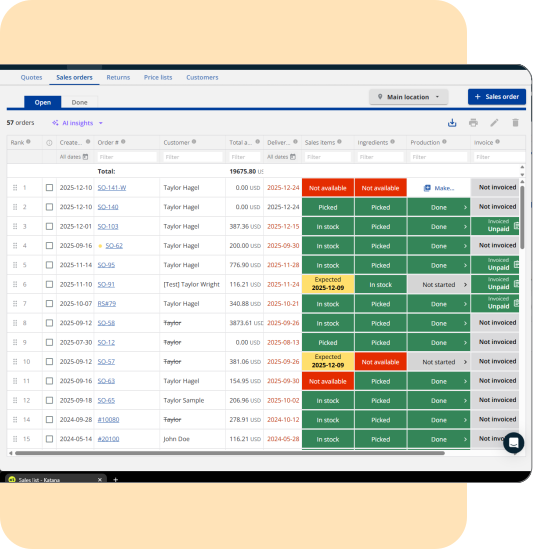
Easier sales order search
Search sales orders instantly using a customer PO or reference number—no exports required.
Overview
Adds a search field to the Sales Orders page and returns both open and historical orders. Results appear in a persistent history panel for easy navigation.
How does it work
- Enter any part of a customer reference number.
- View matching open and closed orders.
- Open results in new tabs or through the history panel.
How to get started
- Install the Admin Panel Chrome Extension.
- Open Admin Panel Extension and use the search bar on the Sales Orders page

Name
Sales order search by customer reference
Built by
Taylor Made Tools
Documentation
Learn more
Category
Productivity

Manufacturing workflow optimization
Audit and refine your Katana production workflows, stock reservation logic, and reporting structures to reduce friction and support operational growth.

Production & margin visibility optimization
Connect Katana production cost data with revenue performance to surface SKU-level margin insights and support confident pricing and purchasing decisions.

SKU & BOM structural cleanup
Normalize SKUs, variants, and BOM structures in Katana for clean, scalable, and integration-ready product data.

3PL & fulfillment integration
Design and implement structured sync processes between Katana and third-party logistics platforms to keep inventory, orders, and fulfillment aligned.

Disassembly & reverse production workflow
Implement controlled disassembly workflows in Katana for returns, salvage recovery, and rework, using production-based logic instead of manual stock adjustments.

QuickBooks Desktop to QuickBooks Online migration
Review and plan your migration from QuickBooks Desktop to QuickBooks Online with full Katana alignment to protect inventory valuation and reporting accuracy.

Historical order migration to Katana
Import historical sales orders, customers, and revenue records into Katana to preserve reporting continuity during system transitions.

Add new row keyboard shortcut
Adds a universal keyboard shortcut to speed up data entry in editable areas such as SOs, POs, and stock adjustments.

Sales order line-item cost report
View estimated cost and margin per line to support pricing decisions.

Open sales & purchase order import
Import past sales orders in bulk to unlock forecasting and analytics without changing live stock.